Download Antivirus for PC
Before installing the full version of Net Protector Antivirus, please uninstall any other antivirus software from your PC to prevent your computer from hanging or freezing.
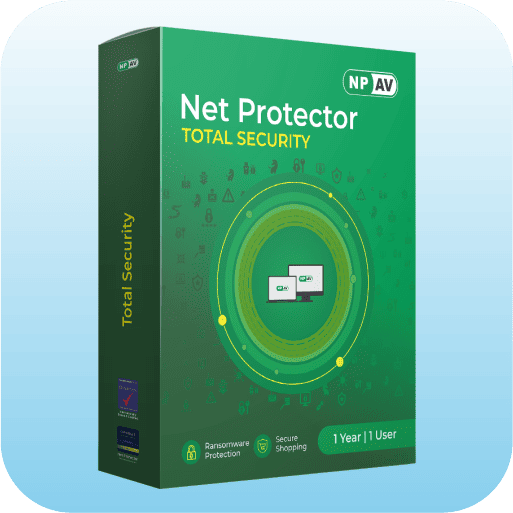
 Release Date :
Latest
Release Date :
Latest

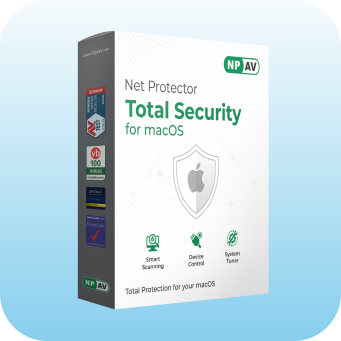
Total Security for macOS
Release Date : Latest
Net Protector Setup for Advisor Software
Release Date : Latest





Compatible with
Desktop Edition:
Windows 11, Windows 10 (Threshold 1-2, Redstone 1-5, 19H1, 19H2, 20H1, 20H2), 8.1, 8.0, 7, Vista, XP
Server Edition: Windows Server 2019, 2016, 2012, 2008, 2003

Compatible with
Desktop Edition:
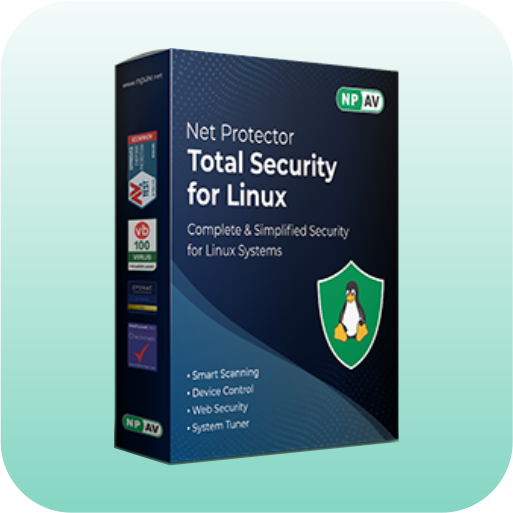
Ubuntu 16.04 LTS to 24.04 LTS, RHEL 7.6 to 9.4, Fedora 32 to 41, Debian 9 to 14, CentOS 7 & 8, SUSE 12 to 15.5

Compatible with
Desktop Edition:
macOS 10.12-Sierra, 10.13-High Sierra, 10.14-Mojave, 10.15-Catalina, 11-Big Sur, 12-Monterey, 13-Ventura, 14-Sonoma

Compatible with
Android phone or tablet running Google Android 8 (Oreo, API 26) or higher
Frequently Asked Questions
Quick answers to the questions we hear most often.
Antivirus software is a program designed to detect, prevent, and remove malware from computers and networks. It scans files and programs on your device for known threats, providing real-time protection against viruses, worms, trojans, ransomware, spyware, and more.
Cyber threats keep getting smarter, so a good antivirus is essential to keep your personal data and device safe. Malware can lead to data theft, identity theft, financial loss, or even a completely unusable system.
Antivirus programs use various methods to identify threats:
Signature-based detection: Scans files for known virus
patterns.
Heuristic-based detection: Analyzes program behavior to
detect suspicious activity.
Behavioral detection: Monitors processes in real-time for
unusual activity.
Some users worry that running an antivirus program will slow down their system. A good antivirus like NPAV is built to run quietly in the background without slowing your computer down.
Regular updates ensure your antivirus has the latest virus definitions needed to combat new threats effectively.
While essential, relying solely on an antivirus program isn't enough. Safe browsing habits, updated OS, strong passwords, and extra security layers like firewalls or VPNs are important.
Free antivirus solutions can offer basic protection but may lack advanced features like firewalls or real-time scanning. Paid solutions provide enhanced security and better support.
Run full system scans at least once a week or more frequently if you suspect exposure to harmful sites or downloads. Automatic scheduling is recommended.
Visit the NPAV website, click "Buy Now," select a product, enter billing info, and pay via credit/debit card, net banking, UPI, or wallet.
Log in to NPAV My Account, go to "View Keys," and view or print your order invoice.
Contact NPAV support through any of these channels:
- Phone: +91 93251 02020
- Email: help@npav.net
- Website: npav.net/help
NPAV accepts credit/debit cards, net banking, wallets, and UPI (Gpay, PhonePe, Paytm, BHIM, etc.).
The billing cycle starts on activation and ends on the same date next year.
Use the "My Account" feature on NPAV to manage your information, view order history, and make payments.
Contact NPAV via website, phone, or email. Go to Help Page.
NPAV offers technical, billing, and general support for products and services.
Raise a ticket on our Report an Issue page with your issue details. If it isn't resolved, reply on the same ticket asking to escalate it, and a senior support person will take over.
Share your feedback through our Feedback page — we use it to improve our support.
Average response time is approximately 2 hours.
Go to Support Call Page to submit a ticket with issue details.
Our support team works to resolve every request as quickly as possible. For urgent issues, WhatsApp or call our helpline for a faster response.
NPAV support process:
1. Submit ticket
2. Initial response
3. Escalation if needed
4. Resolution
5. Follow-up to ensure satisfaction
Go to NPAV Dashboard, click on License Info to get all information about your license key.
Go to NPAV Dashboard, click on License Info. You will get all renewal date information.
Yes, you can upgrade by purchasing an upgrade license.
Compare features by visiting the edition comparison page on our website.
Yes, renew anytime before expiration. Renewing before expiry ensures uninterrupted features and updates.
Check your updated renewal date. If not updated, contact NPAV HelpDesk.
Yes, activate anytime. Validity starts from activation. Activate early to secure your device promptly.
Renew before expiry to get extra 15 days. New customers purchasing via authorized dealers can add a valid dealer code to get 15 extra days.
